Viewing 20 results - 241 through 260 (of 3,446 total)
  • Author
    Search Results
  • #261141
    mrscoach
    Member

    Hi

    I am having trouble getting headers on each individual menu page. One page is perfect with a full header across the top. Another page has no header. Another has the full header as I would like it, but is repeating the same image below it at a smaller size.

    I thought it had something to do with the featured images, but I am now just so confused I am hoping someone can help.

    When I was having difficulty I set up the slider on the front page which appears to be working well now, but inconsistencies on each page are occurring and I just don’t know where to start.

    I would be really grateful for some clear instructions as to how to fix a different photo, of my choosing (not randomized) to the top of each photo.

    Thanks in anticipation
    Sharon

    #260836
    Bme
    Member

    The widget that I want to exclude in mobile version is a text with a short code to show a map, located in the primary sidebar.
    The feature that I want to hide in mobile version is the portfolio and/or the feature slider
    Also… Is there a way to add some kind of title to the featured slider? The portfolio section has one, I’d like to put the same to the featured slider.
    Thanks a lot!

    #260521
    Skandha
    Member

    @choro: Hello there,
    Can you please post in your site URL and activate the featured slider section so that I can look into the issue?

    Kind Regards,
    Skandha

    #260504
    choro
    Member

    Thank you very much. I rented another server and tried it, and the import was successful.
    However, the “Featured Slider” didn’t work.
    Is it a feature that does not exist in Free?

    #260458

    In reply to: Bildzentrum festlegen

    Heinz
    Member

    Hello
    Here I have 4 examples from my Featured Slider that should be suitable. Which, of course, would be even better if, when aligning, I could not only tell you where it should be aligned, but also give a number indicating how big the margin is. For example:
    Horizontal alignment: right margin 20
    Vertical alignment: top edge 5

    Here are my alignment requests:

    Image 1:
    Horizontal alignment: centered
    Vertical alignment: centered

    Picture 2:
    Horizontal alignment: right
    Vertical alignment: top

    Picture 3:
    Horizontal alignment: centered
    Vertical alignment: below

    Pic 7:
    Horizontal alignment: right
    Vertical alignment: below

    Thank you for your help.
    With kind regards
    Heinz

    #260421
    choro
    Member

    Nice to meet you.
    I am writing sentences using Google Translate.

    Earlier, I set this Theme to WordPress 5.1.1.
    However, the “Featured Slider” was not displayed.

    I only select from customization to front page.

    I came up with the idea of ​​trying to import a demo.
    However, when I pressed the import button, I got “Error: Internal Server Error (500)”.

    I doubted the WordPress settings and tried multiple versions with the same results.
    The same result was obtained with the newly set WordPress.

    Do you know the cause?

    #260348
    Abh
    Member

    Hello,

    Could any one help?

    Why are featured slider and header on home page non-responsive?

    #260236
    Abh
    Member

    Header and featured slider section on home page are not at all responsive.

    #259936
    Heinz
    Member

    Hello
    The center of the image should be set in the Featured Slider, as the image is displayed differently depending on the screen. for example on my side, the second picture. http://www.vah.ch. If I display this with the mobile phone landscape format, it looks OK. However, if I display this in portrait orientation, it is a disaster. By specifying the center of the image, I would always try to move the center of the image into the center. In my example, the center would be the head of the right bird. I was on Koken before and Koken knows it like that, it’s really a professional role.
    Many thanks for the help.
    Best regards
    Heinz

    Heinz
    Member

    Hello
    With the Featured Slider, I show various images at the top of my page http://www.vah.ch. These always run in the same order, is it possible to display them according to a random sequence?
    Thanks for the help.
    Best regards
    Heinz

    #259935
    Heinz
    Member

    Hallo
    Im Featured Slider sollte das Bildzentrum festgelegt werden können, da das Bild je nach Bildschirm anders angezeigt wird. zum Beispiel auf meiner Seite, das zweite Bild. http://www.vah.ch. Wenn ich das mit dem Natel Querformat anzeige, sieht dies OK aus. Wenn ich dieses jedoch in Hochformat anzeige, ist das eine Katastrophe. Mit Festlegen des Bildzentrums, würde immer versucht das von mir festgelegt Bildzentrum in das Zentrum zu rücken. Bei meinem Beispiel wäre das Zentrum beim Kopf des rechten Vogels. Ich war vorher auf Koken und Koken kennt das so, ist wirklich eine professionelle Funktion.
    Vielen Dank für die Hilfe.
    Freundliche Grüsse
    Heinz

    #259844
    Erica
    Member

    Hi, I’ve got it! I need to apply the Featured slider option of your theme to have this responsive mode! I used the standard Header Media panel, that’s why it didn’t work properly. Thanks again,
    Regards, Erica

    #258411
    xtian
    Member

    Hi Skandha,
    Thanks for looking into this and for solving the problem, which was not an issue of the theme but clearly my own mistake!

    For anyone planning to use photos in the slider, it’s way more easy than the workaround I had used manually replacing the images in the demo slider. All you have to do is build a page for each of your slider pics and then:

    Go to => Appearance => Customize => Featured Slider => Select Slider Type as Page => Select the pages and Publish

    Thanks again for your great support for what is a free (!) theme!

    Best,
    Christian

    #257818

    Doesn’t work and also I think you didn’t got the message. The screenshot you took there’s is nothing to do with the problem I mentioned.

    Try to look at the URL’S I’ve posted here.

    DESKTOP VERSION

    https://viniciusviegas.com.br/wp-content/uploads/2020/08/Featured-Slider-Full-Content-on-Desktop.png

    MOBILE VERSION

    https://viniciusviegas.com.br/wp-content/uploads/2020/08/Featured-Slider-Mobile.jpeg

    I really need to fix that so I can upload my website for good.

    #257817

    Hello @Skandha. I Think you didn’t got the message.

    What’s not showing is the text on the posts on the mainpage. I already send the URLS showing between the Desktop and the Mobile but seems you didn’t look at this. So I’m sending it again for you to undestand. This time I expect you to open the content to see the difference.

    DESKTOP VERSION

    https://viniciusviegas.com.br/wp-content/uploads/2020/08/Featured-Slider-Full-Content-on-Desktop.png

    MOBILE VERSION

    https://viniciusviegas.com.br/wp-content/uploads/2020/08/Featured-Slider-Mobile.jpeg

    #257310

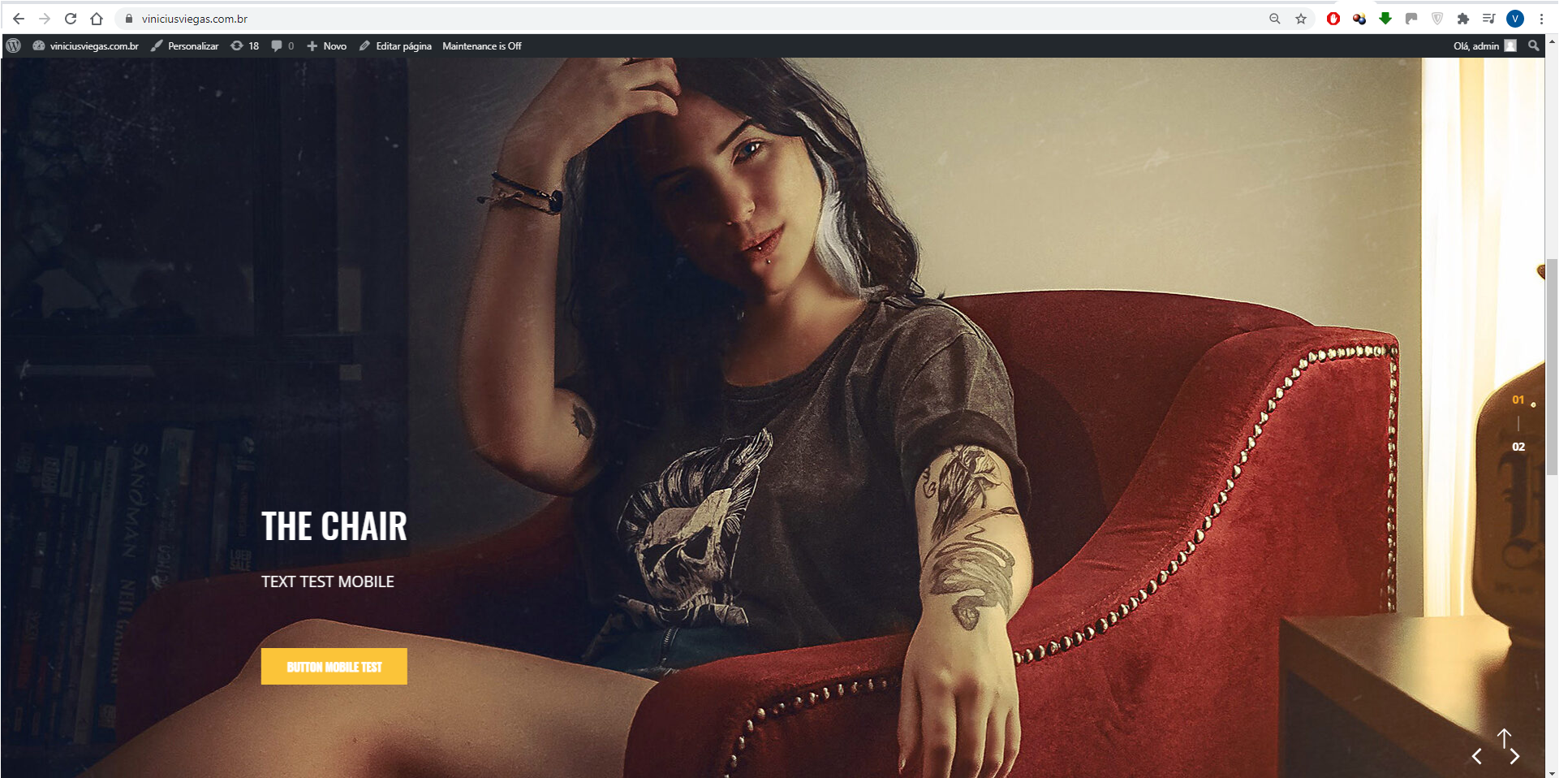
    Featured Slider on mobile doesn’t show Full content from Posts.

    URL: https://viniciusviegas.com.br/

    Theres two images below the image Header, as you can check on your mobile it’s not showing the post content, can only be seen through desktop.

    #257056
    Kent Hirsch
    Member

    https://reeseinspiration.se

    I want to reduce the distance between the site top and top of the featured slider. I can make the logo a little smaller. But it’s not enough.
    How do I place the logo to the left of the menu on the same line / level as the menu?

    Kind regards
    Kent

    #257055
    Kent Hirsch
    Member

    https://reeseinspiration.se
    FEATURED SLIDER

    I have cropped the images to 1920×840, still the slider feels a little too big. Do you have a suitable CSS code to make the slider a little smaller?

    Kind regards
    Kent

    #256907
    Sharean
    Member

    I have enabled the logo slider and set featured images for my pages but when I view them on the website it only shows one image per slider instead of four logos per slide. How do I make 4 logos per slide?

Viewing 20 results - 241 through 260 (of 3,446 total)