Forum Replies Created
-
AuthorPosts
-
 Glen PavelichMember
I pasted the entire code provided before the closing tag.
?>
Glen PavelichMemberWell I lied. It worked last night for my tests, but doesn’t work this morning. How is that possible. Was I imagining things?
Check backyardpollinator.ca
Glen PavelichMemberAnd it works perfectly. Thank you so much.
G
Glen PavelichMemberTotally missed the link in your message. My appologies. Thank you for providing this info.
G
Glen PavelichMemberYes, I have a child theme. I however, don’t know php so I’m hoping you can help me with the syntax I need to add in order to complete
lucid-featured-image
line for the function.php of my child theme.
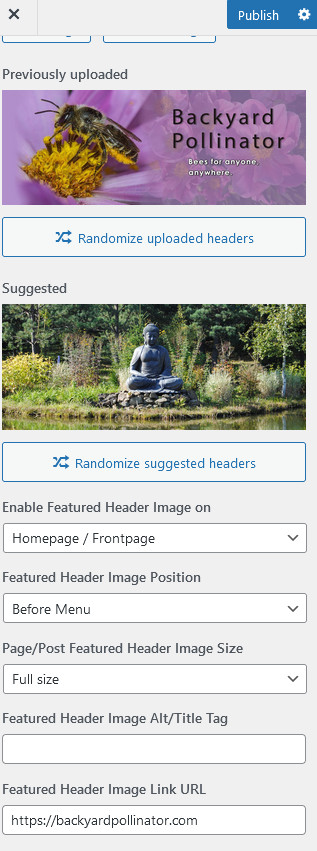
The link has to go to https://backyardpollinator.com, so we can get people to the shopping cart side of the site from backyardpollinator.ca when they click on the video.
Glen PavelichMemberI have a child theme however I don’t know php.
Can you help me with what to add to the function file for
lucida_featured_image()The site is backyardpollinator.ca and the feature video (in the header position) needs to be clickable to land on
backyardpollinator.com (the shopping cart part of the site).
Thank you. Your help on this is greatly appreciated.
Glen PavelichMemberDarn, that sucks. We created the video with a button.
Is there css that can work in this position??
G
Glen PavelichMemberThere is another issue. The link url for the header is not working.
On backyardpollinator.ca – clicking on the video should take you to backyardpollinator.com (the store side), but it doesn’t.
See screen shot.
 Glen PavelichMember
Thank you.
Glen PavelichMemberIt fixed itself. We think it was the php version.
G
Glen PavelichMemberI cannot edit the post. Can you remove the license for me.
Glen PavelichMemberWe will need the license for both sites. These are really just one site divided into two parts.
I put it on the .com site, but will need to add it to backyardpollinator.ca as well.
Glen PavelichMemberFurther the video is not showing up on phones.
Hopefully there is code that can correct this.
See http://www.responsinator.com/?url=backyardpollinator.com
It shows up on the last view on the list, but nothing smaller. It’s not just apple vs android.
Shows up on both ipad and android tablets.On responsive design mode in firefox it works at all the responsive sizes.
LOL We’re finding all the glitches.
Glen
Glen PavelichMemberThank you very much. Can you tell me exactly where I had disabled header Feature Image.
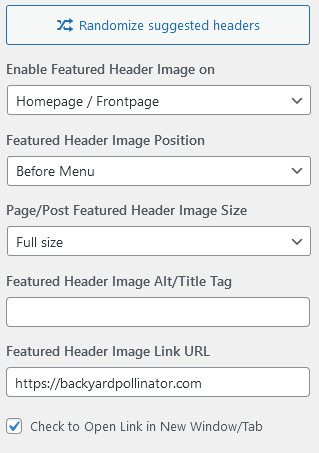
Do you mean here:
I have applied the css you supplied to the additional css, but on the .ca site (line 30) I don’t see any text over the image on the front end that says “Overlay Text”
On the .com site it works (line 18), but scrolls with the entire page, and also inserts “overlay text” in a few other positions down the page. I removed the text for now. ” ”This will obviously only supply one line of text? Is there a second line that can be added for the sub line?
Is there a way the css can allow me to apply a transparent overlay instead?Thank you so much for your assistance with this. I’m glad to have the video working on both sides now.
Glen PavelichMemberWe received your email, and are looking into the video. Likely just a codex problem.
But: did you investigate the other issue regarding the header not working on the .ca site? And the overlay text option.
Glen PavelichMemberFor the short term the video developer put text on the video and we have it working on ONE of the two sites. These are sister sites and everything is identical, or is supposed to be, using the same theme. The .ca site is the main information site, and the .com is a second part of it that holds the shopping cart.
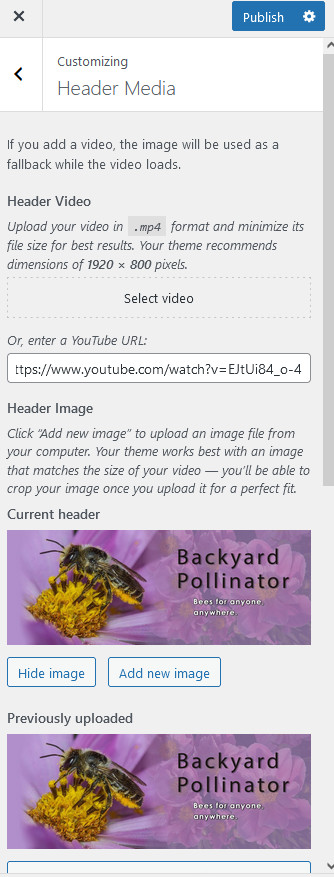
I can’t figure out what’s up with the .ca site. The header will not show up there, whether just a static header, or the video. I have it enabled, but nothing shows up. I turned the feature slider back on for now, but with inspect I don’t see any
<div class=”custom-header”>
there at all. The header should show up above the feature slider if both are turned on, which they are. I don’t have any css that I can see that has it to display:none or anything like that.
Can you look at
https://backyardpollinator.com
and compare it to
to see if you can figure why the template is missing an element there???
The settings attached are the same as on the .com site. I tried taking out the video, and switching settings a bit, but the header does not show up.
Glen PavelichMemberAny news on this. We are anxious to get the new media banner up.
G
Glen PavelichMemberI do have a child theme.
G
Glen PavelichMemberPS. If not, is there css you can assist with that would place a video-mp4, say with a you tube url, into that header position as a background? And perhaps then I could create a transparent header image to use as text overlay.
Is this doable?
Changing out our template will be a huge pain since there is so much additional CSS applied to this one.
I have the mp4 loaded here
https://backyardpollinator.ca//Media/Backyard-Pollintor-Hero-Video.mp4
https://backyardpollinator.ca is the site using this template.
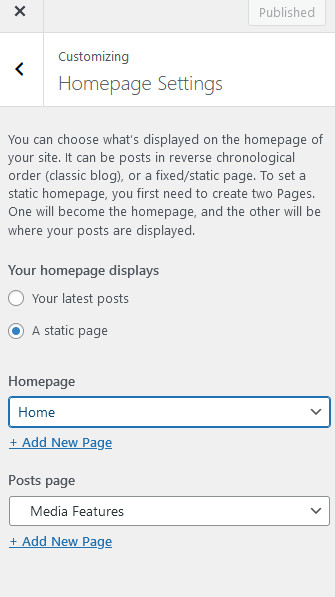
Glen PavelichMemberYes, but I want the ‘more button’ so that visitor can see there are more to view. I have the site set to static page.
G
-
AuthorPosts