Since buying the premium version 5 days ago, I made a new post and it does not appear on the site. I made sure to make it public and I’ve clicked “Clear HB Post Cache” in the post and it didn’t fix it. I’ve cleared the cache in my browser and I’ve tried 3 other browsers after I cleared the cache in them, yet the post does not appear in the 4 browsers on my desktop and the 2 browsers on my cell phone.
I have this post also designated as one of my 3 featured posts on my Home page and it does not appear on the Home page either.
My site is:
gregorysmcdonald.com
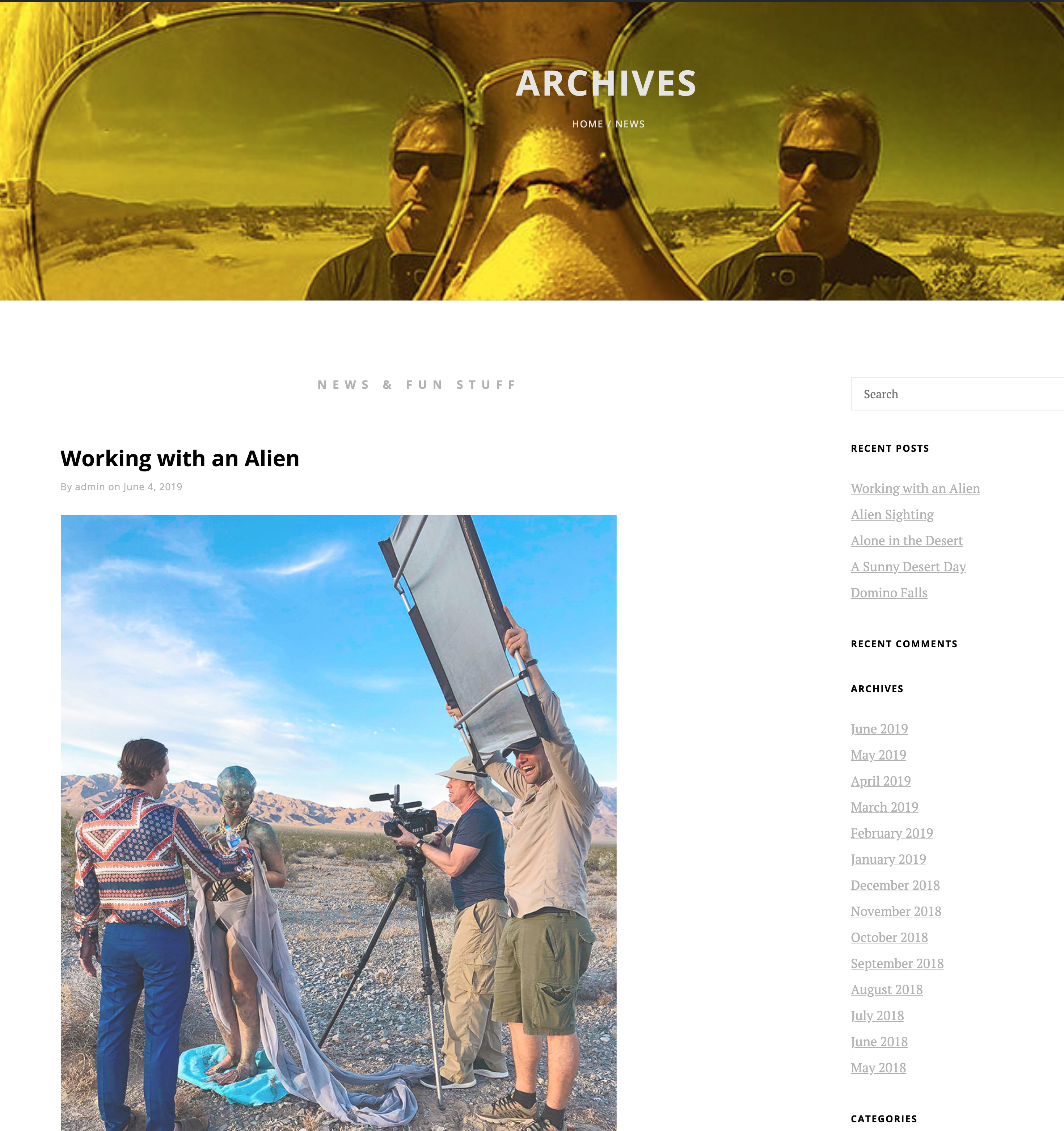
I can only see the post (titled: Working with an Alien) on my blog page when I am logged into WP. Here is a screen grab my blog page when I’m logged in:
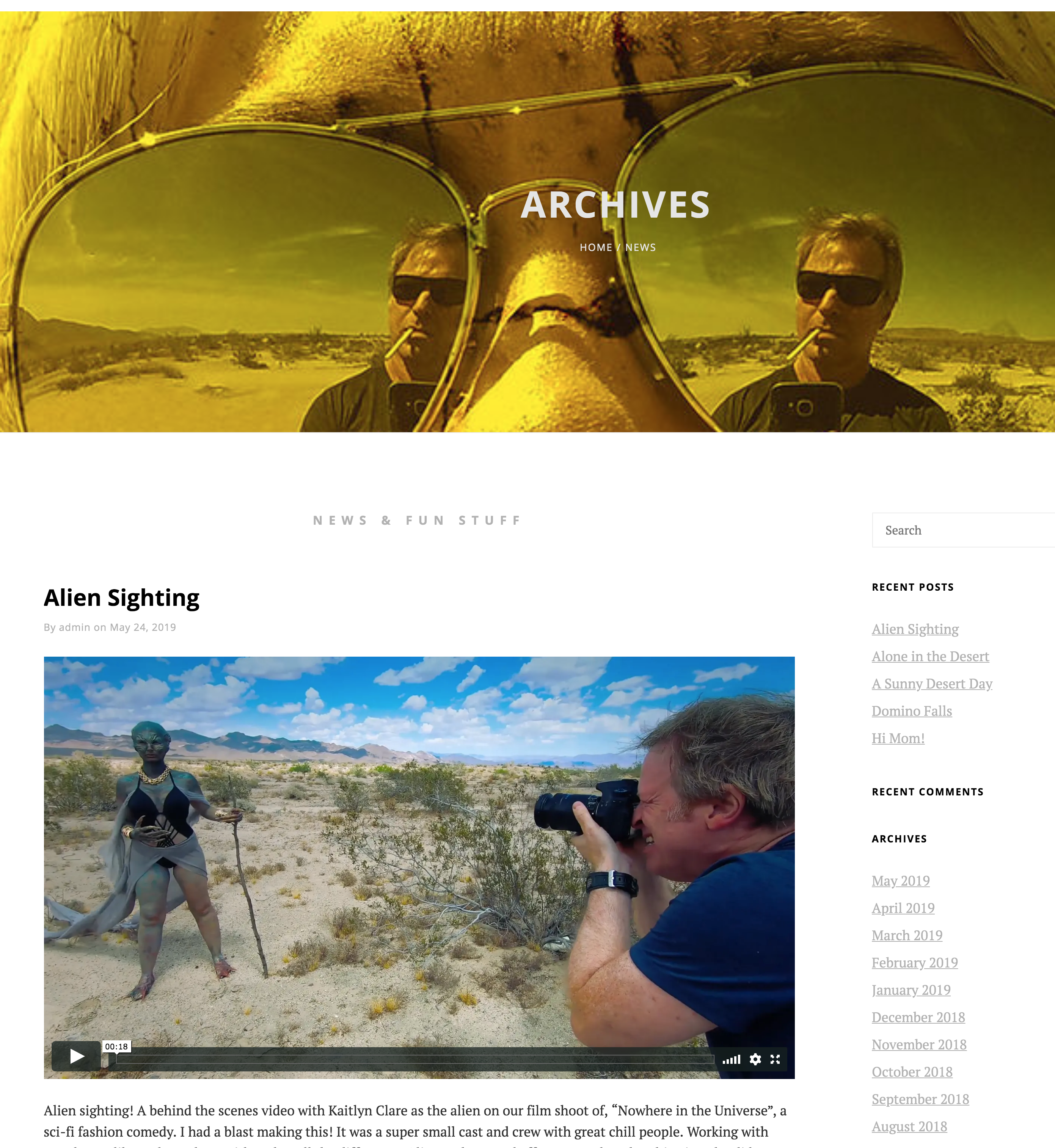
When I’m not logged into WP, you cannot see that post. Here is a screen grab of my blog page when I’m logged out:
You can see the post with the above url, but it does not show on the blog page (News) nor on the Home page where I have it designated as a Featured Content post.
@gmcd: This is strange. I will need your WP Admin credentials to have a look at your settings and try debugging the issue. I will contact you shortly by email.
@gmcd: Okay I see. I will need full access to your admin settings to debug the issue. I cannot view your dashboard option with the access you have provided right now. Then I shall figure out the issue with newer posts not showing up when logging out.
I just gave you admin access. Please try again. The default when you add a new user is to make them a subscriber and I just forgot to give you admin access. But you should have that now.
And FYI, I post a couple test blogs and none of them show up on the site. This happened since installing the premium version. All worked with the free version.
That found the problem. The template is not compatible with the Hummingbird plugin. When enabled, blog posts do not show up on the site. When it’s disabled, they do appear.
The free version of the template however is compatible with Hummingbird.
@gmcd: Hello there, I hope I was able to resolve your issue. If it’s not too much trouble, I have a quick request: could you please leave an honest review? https://wordpress.org/support/theme/simple-persona/reviews/#new-post
Your review will help others know what to expect when they’re looking for the support I offer. Even a sentence or two would be hugely appreciated. Thanks, and if there’s anything else at all that I can do to help, don’t hesitate to let me know. Have a good day! 🙂
Kind Regards,
Skandha
Author
Posts
Viewing 12 posts - 1 through 12 (of 12 total)
The topic ‘New post does not appear since upgrading to Simple Persona Pro from free version’ is closed to new replies.
We use cookies on our website to give you the most relevant experience by remembering your preferences and repeat visits. By clicking “Accept”, you consent to the use of ALL the cookies.
This website uses cookies to improve your experience while you navigate through the website. Out of these cookies, the cookies that are categorized as necessary are stored on your browser as they are essential for the working of basic functionalities of the website. We also use third-party cookies that help us analyze and understand how you use this website. These cookies will be stored in your browser only with your consent. You also have the option to opt-out of these cookies. But opting out of some of these cookies may have an effect on your browsing experience.
Necessary cookies are absolutely essential for the website to function properly. This category only includes cookies that ensures basic functionalities and security features of the website. These cookies do not store any personal information.
Any cookies that may not be particularly necessary for the website to function and is used specifically to collect user personal data via analytics, ads, other embedded contents are termed as non-necessary cookies. It is mandatory to procure user consent prior to running these cookies on your website.

 .
.