Premium Responsive WordPress Themes with advanced functionality and awesome support. Simple, Clean and Lightweight Responsive WordPress Themes
ArtsyLens
Price: $0.00
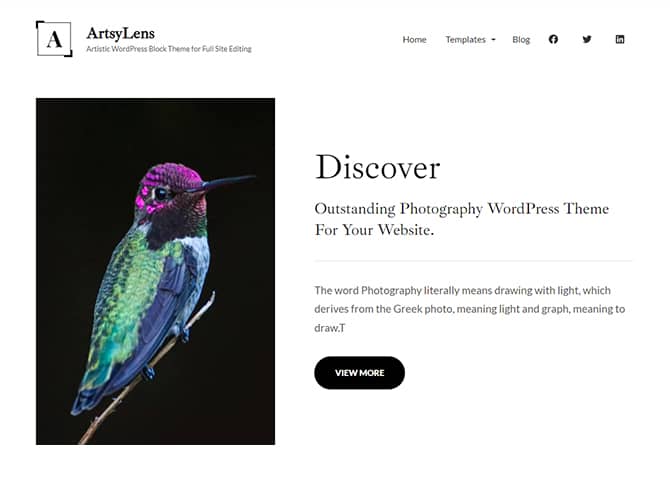
ArtsyLens is a free artistic WordPress block theme that comes with a sleek design and awesome functionality. This theme is perfect for artists, illustrators, designers, freelancers, photographers, and other creative professionals. This block-based theme comes with a light color scheme so, create an outstanding website. It is fully responsive and looks amazing on all screen sizes. It is a block-based theme built in accordance with full site editing features that let you customize your site easily. All the block patterns are simple and easy to use where you can easily drag and drop the blocks and build the content perfectly.
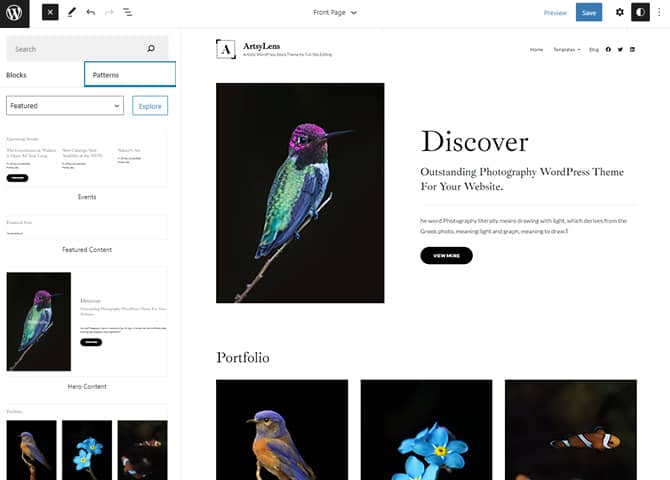
There are 14 + different block patterns, 17 FSE Templates, and 6 Template Parts available in this theme. Some block patterns are Contact, Featured Content, Hero Content, Portfolio, Sidebar, 404 Header, Archive Header, Footer, Footer with Three Columns, Header, 404 Content, Post Header Default, Post Header, Recent Blog, and Search Header. All of the blocks, block patterns, templates, and template parts in ArtsyLens are fully responsive, highly customizable, and adapt to all screen sizes beautifully. Download ArtsyLens today and start building a stunning website with blocks.
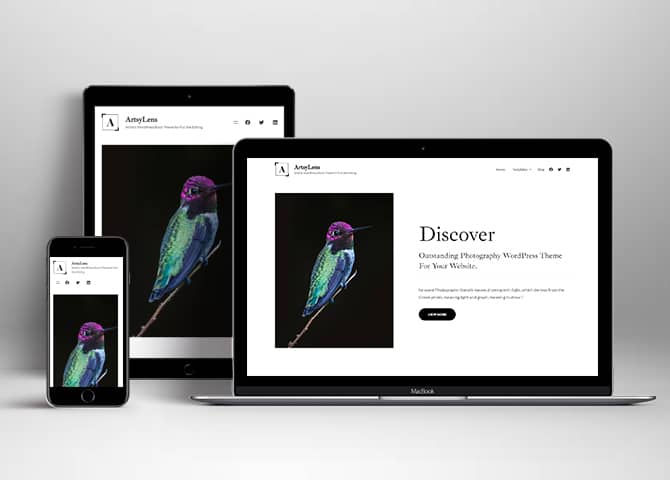
One of the key features of our themes is that your website will magically respond and adapt to different screen sizes delivering an optimized design for iPhones, iPads, and other mobile devices. No longer will you need to zoom and scroll around when browsing on your mobile phone.
Incredible Support
We have a great line of support team and support documentation. You do not need to worry about how to use the themes we provide, just refer to our Tech Support segment. Further, if you need to do advanced customization to your website, you can always hire our theme customizer!
Hero Content
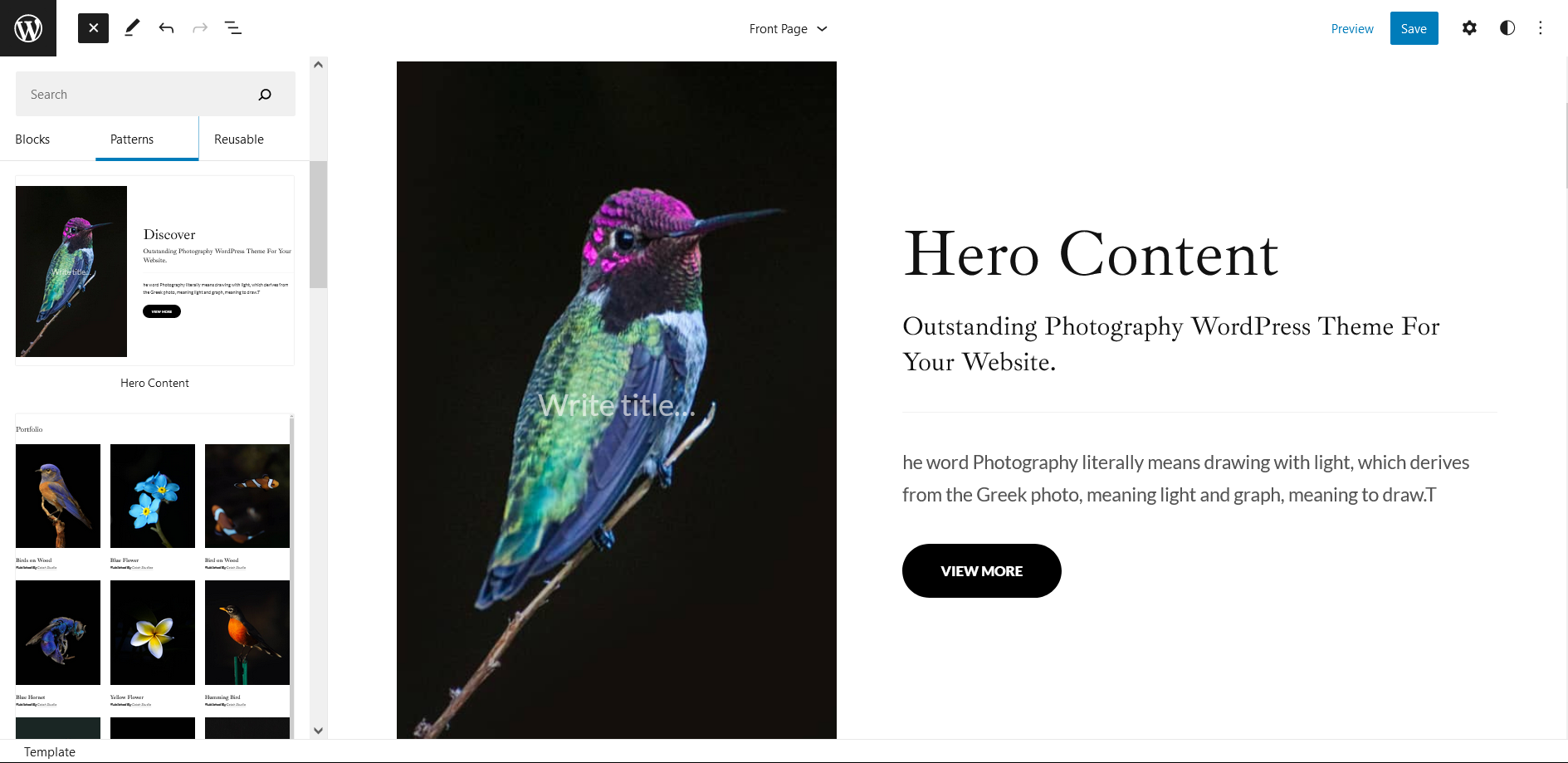
You can now display the best assets of your website with the Hero Content feature. The feature allows you to highlight the most important content in a fashion that is easily attention-grabbing. You can enable the hero content either on Homepage or the entire site. Hero Content - the easiest way to display your strengths.
WordPress Standard Codes
Our code is secure and optimized. We do proper data validation and sanitization and follow core theme guidelines. Our developers are active contributors to WordPress theme review and WordPress core. Our themes will always be updated as things change in WordPress.
Portfolio
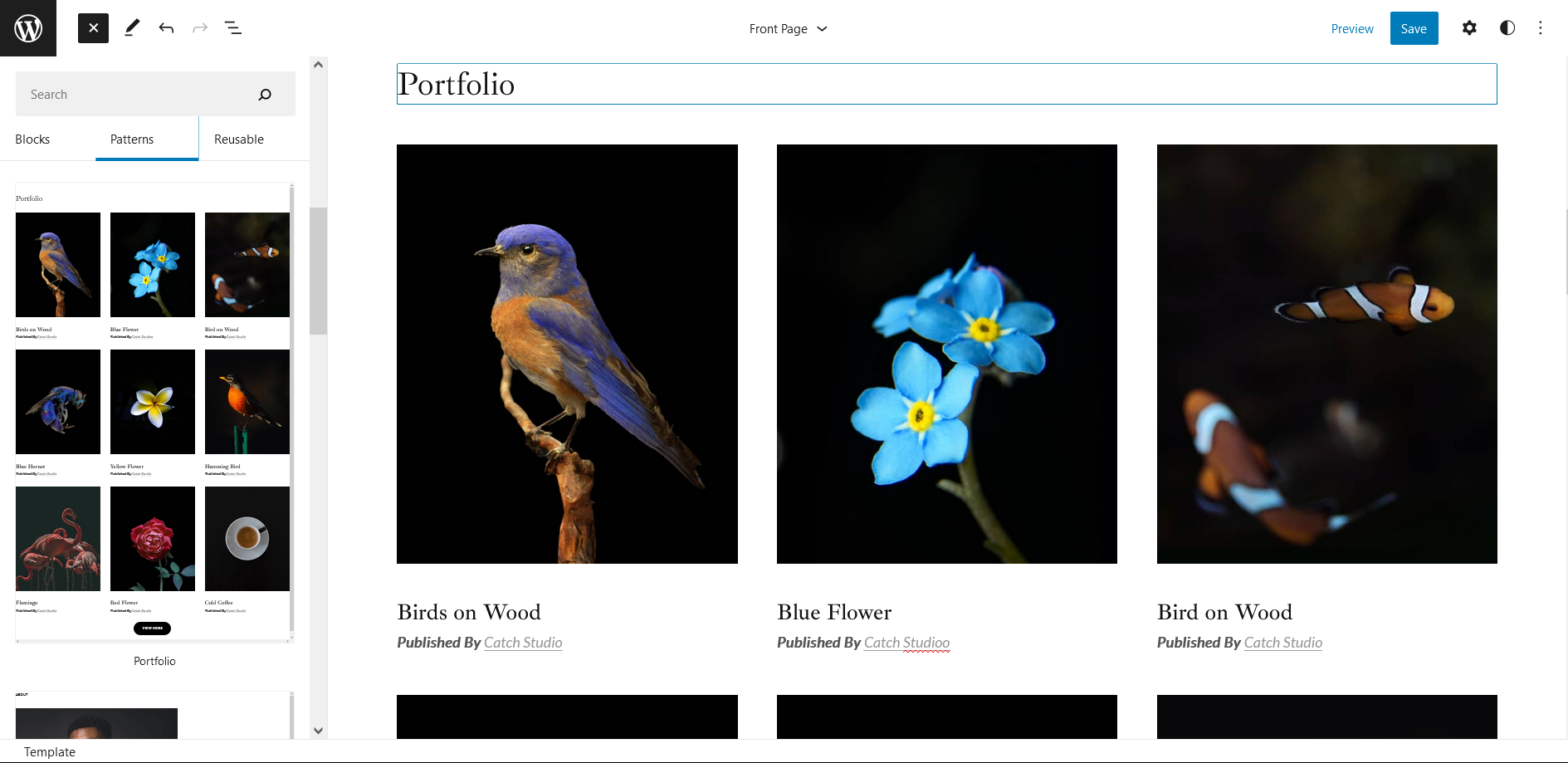
Portfolio empowers you to showcase your professional skills and accomplishments to the world at large. Display your Portfolio in an elegant manner on the Homepage/Frontpage, the entire site or you can also disable it completely if you don’t need it. An astounding way to easily display your experience, skills, talent, and expertise.
Footer Editor
Footer Editor Options enables you to edit the content of the footer easily. You can either add HTML, plain text, or custom shortcodes which will be inserted into your theme automatically. You can use shortcodes like [the-year], [site-link] and [privacy-policy-link] for the current year, site link and privacy policy link respectively.
More Features
Responsive Design
Full Site Editing
Block Based Theme
Site Editor
Template Editing
Free Vs Pro (Premium)
Free
Features
Pro (Premium)
Responsive Design
Super Easy Setup
Color Options
Case Study (Block)
Skills Bar (Block)
Masonry (Block)
Popup Video (Block)
Header Search (Block)
Header Social (Block)
Icons (Block)
Slider (Block)
Tabs (Block)
Playlist (Block)
Header Media
Contact
Hero Content
Header with social search
Blog sidebar on Right
Events
Featured Content
Portfolio
Services
Stats
Sidebar
404 Header
404 Content
Archive Header
404 Header with Background
Footer with Three columns
Footer with Four Columns
Recent Blog
Theme Instructions
Installation
You can download ArtsyLens free theme through Dashboard > Appearance > Themes > Add New > ArtsyLens. Simply click on the ‘Install’ button and wait for a few seconds to ‘Activate’ the theme.
Or, if you still have any confusion regarding the Theme Installation process, please visit our FAQ link.
Inserting/Adding ArtsyLens Patterns
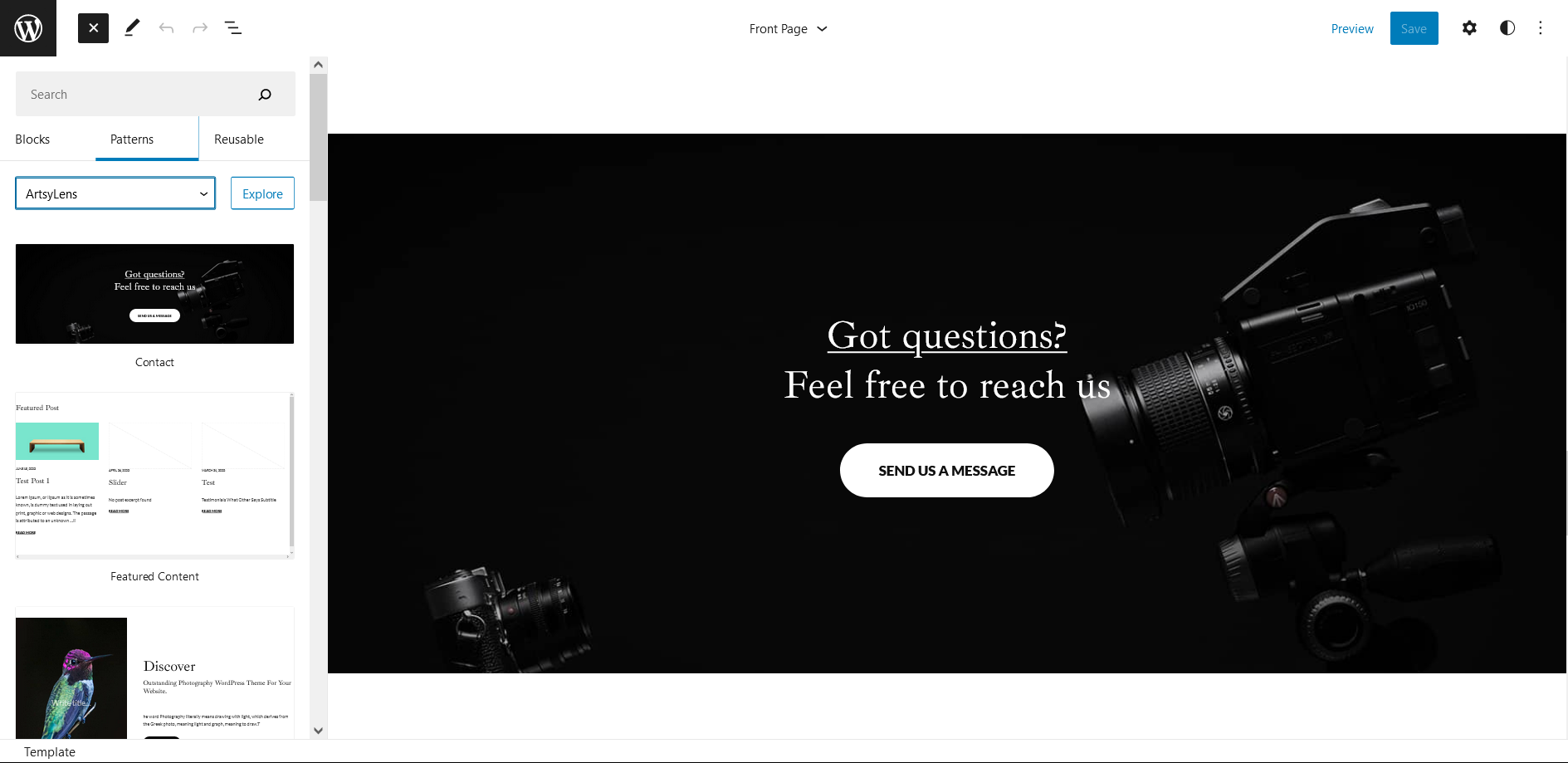
Dashboard >> Editor >> ‘+’ Toolbar (Top Left) >> Patterns >> Select ArtsyLens from the dropdown menu >> Add/Insert ArtsyLens Patterns accordingly
Editing Pattern Content
First, click on the pattern content you wish to edit/customize
You can select the section/content in three ways
Clicking on the section itself
List View
Footer Interface Bar
Once the section is selected you can edit its content or if you want to customize the section’ properties/options, click the three dots and select your desired action. Duplicate, Remove, Copy or Add desired section before or after the current section.
List of Pattern supported by ArtsyLens
Contact
Features Content
Hero Content
Portfolio
Header Media
404 Header
Footer
Footer Three Columns
Recent Blog
Contact
Contact pattern in ArtyLens pro allows you to add contact page link or any link you wish for.
Here is how you add Contact pattern to your website:
Click on “+” sign on the top bar to display Blocks and Pattern, Click on Pattern
Click on dropdown menu and select “ArtsyLens” to see list of pattern provided by ArtsyLens
Scroll down and to find “Contact”, click to add contact on your website or drag and drop on desired area
Edit Contact accordingly by adding Title, Text button and button links
For more advance setting click on setting button on top left section
Make Required changes and click on Save
Hero Content
ArtsyLens supports Hero Content pattern, here you can add image with title and text.
Here is how you add hero content in your website:
Click on “+” sign on the top bar to display Blocks and Pattern, Click on Pattern
Click on dropdown menu and select “ArtsyLens” to see list of pattern provided by ArtsyLens
Scroll down and to find “Hero Content”, click to add hero content on your website or drag and drop on desired area
Edit Hero Content accordingly by adding Images, Title, Descriptions button and button links
For more advance setting click on setting button on top left section
Make Required changes and click on Save
Portfolio
Portfolio pattern in ArtsyLens can be used to display your work. You can add image, edit name and other text.
Here is how you add Portfolio in your website:
Click on “+” sign on block pattern tab to display Blocks and Pattern, Click on Pattern
Click on dropdown menu and select “ArtsyLens” to see list of pattern provided by ArtsyLens
Scroll down to find Portfolio, click to add or drag and drop in desired area
Edit Portfolio Accordingly you can add/edit, Images, Texts
After editing the content of portfolio, Click Top left setting icon there you can customize various section such as styles (default or round), Typography, color, radius, Addition CSS
Finally click “Save”, to save changes
Footer Three Columns
The Footer Three Columns pattern allows you to insert a section that you can display right above your default footer. In the pattern, by default, there are three columns and you can use the columns to add quick information and also your contact info including your social icons.
Click on “+” sign on the top bar to display Blocks and Pattern, Click on Pattern
Click on dropdown menu and select “ArtsyLens” to see list of pattern provided by ArtsyLens
Scroll down and to find “Footer Three Columns”, click to add Footer Three Columns on your website or drag and drop
Edit Footer Three Columns accordingly by changing text, social links, newsletter, add recent posts
Finally click Save, to save changes
Templates in ArtsyLens
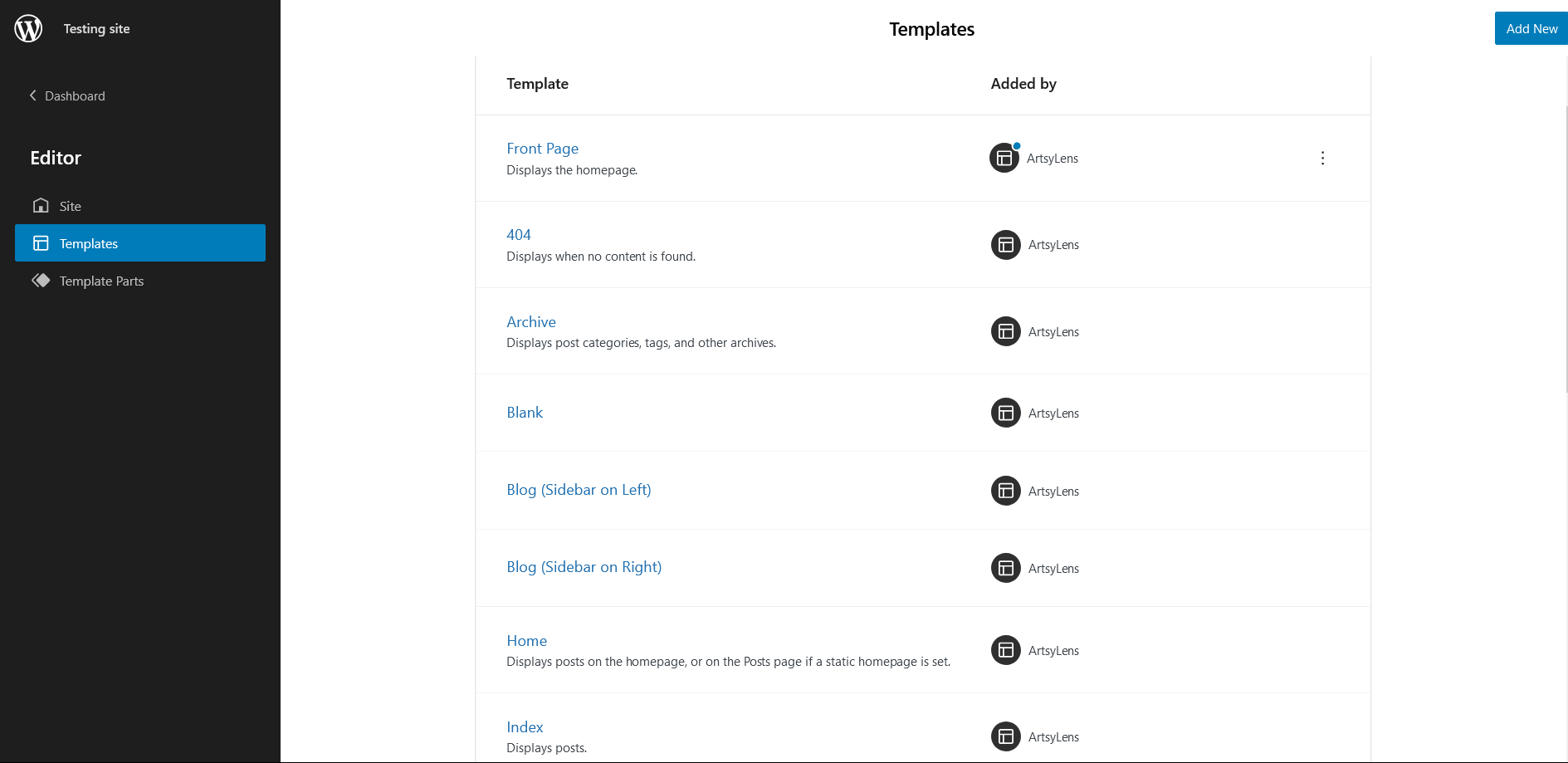
You can find 17 Templates provided by our ArtsyLens theme. You can customize these templates if you feel like changing anything on a certain template and wish to see those changes across your site.
404: Displays when no content is found
Archive: Displays post categories, tags, and other archives
Blank: The blank template can be used for displaying the contents of a post or page
Blog(Sidebar on Left)
Blog (Sidebar on Right)
Front Page: Displays homepage
Home: Displays posts on the homepage, or on the Posts page if a static homepage is set
Index: Displays Posts
Search: Displays search results
Page: Displays a single page
Single Page(No Sidebar full Width)
Single Page (Sidebar on Left)
Single Page (Sidebar on Right)
Single Post (No Sidebar Full Width)
Single Post (Sidebar on Left)
Single Post (Sidebar on Right)
Single Post: Displays a single post
Template Parts in ArtsyLens
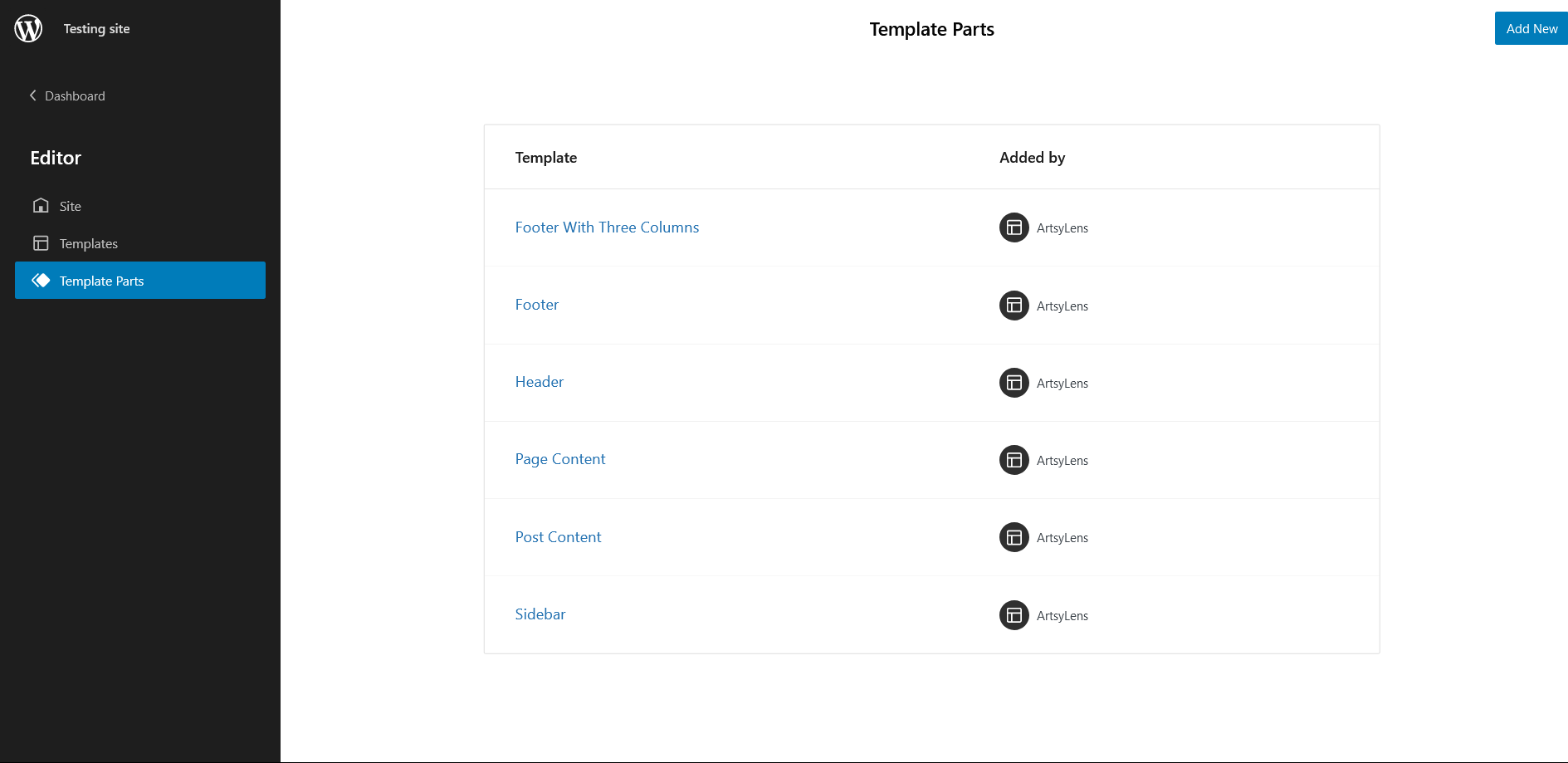
There are 6 Template Parts in ArtsyLens
Footer (with three columns
Footer
Header
Page Content
Post Content
Sidebar
Change Log
2.2 (Released: June 22, 2026)
Bug Fixed: Welcome panel background color issue in theme admin page
Bug Fixed: Mobile menu spacing and layout issues on small screens
Updated: Renamed border-color slug to border-default-color to avoid conflict with WordPress core styles naming
Updated: WordPress 7.0 ready
2.1 (Released: March 08, 2026)
Added: New Product Collection part
Added: Missing Product Sidebar part
Added: Product Search Results template
Added: Product FAQ pattern
Added: Secure Transactions pattern
Added: Shopping Features pattern
Added: Custom js for WooCommerce quantity buttons
Bug Fixed: Spacing issue in patterns
Updated: Single Product template with newly added patterns
Updated: All the classic/static WooCommerce product patterns, parts, templates
Updated: Header patterns having navigation block
Updated: Minor CSS
2.0.4 (Released: December 29, 2025)
Updated: WordPress 6.9 ready
2.0.3 (Released: October 11, 2025)
Removed: Unnecessary style.css.map
2.0.2 (Released: October 11, 2025)
Version bumped due to WordPress trac issue
2.0.1 (Released: October 11, 2025)
Bug Fixed: Missing hamburger menu on mobile devices
2.0 (Released: July 29, 2025)
Bug Fixed: Title color issue of Contact pattern
Bug Fixed: Button width issue
Bug Fixed: Column issue on featured post
Updated: WordPress 6.8 ready
1.2 (Released: September 28, 2024)
Bug Fixed: Editor add block button (+) color
Bug Fixed: Color correction on cart number
Bug Fixed: WP block heading color issue inside Cover Block and font size issues
Updated: Form design issues in checkout
Updated: Font Size slug in Theme JSON conflicting with WordPress default slug
Updated: Design of cart and account icon of WooCommerce on header
Updated: WordPress 6.6 ready
1.1.1 (Released: March 26, 2024)
Updated: Installation text in readme.txt file
Updated: WordPress 6.4 ready
1.1.0 (Released: March 31, 2023)
Bug Fixed: Columns issue in WooCommerce Product Block
We use cookies on our website to give you the most relevant experience by remembering your preferences and repeat visits. By clicking “Accept”, you consent to the use of ALL the cookies.
This website uses cookies to improve your experience while you navigate through the website. Out of these cookies, the cookies that are categorized as necessary are stored on your browser as they are essential for the working of basic functionalities of the website. We also use third-party cookies that help us analyze and understand how you use this website. These cookies will be stored in your browser only with your consent. You also have the option to opt-out of these cookies. But opting out of some of these cookies may have an effect on your browsing experience.
Necessary cookies are absolutely essential for the website to function properly. This category only includes cookies that ensures basic functionalities and security features of the website. These cookies do not store any personal information.
Any cookies that may not be particularly necessary for the website to function and is used specifically to collect user personal data via analytics, ads, other embedded contents are termed as non-necessary cookies. It is mandatory to procure user consent prior to running these cookies on your website.