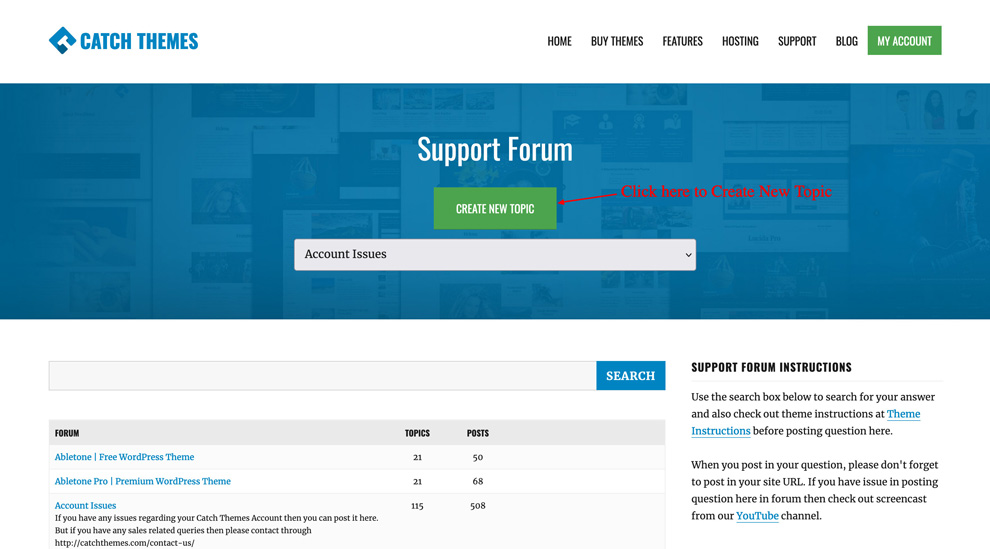
If you are having difficulties using our theme or you have any questions, you can post in our “Support Forum“, and a member of our team will get back to you shortly. Here are the simple steps to post your queries in our support forum:
- First, you need to login to your account at My Account
- Then, click on Support and Access Support Forum or go to Support Forum directly at https://catchthemes.com/support-forum/
- Click on the “Create New Topic” button at top of the page
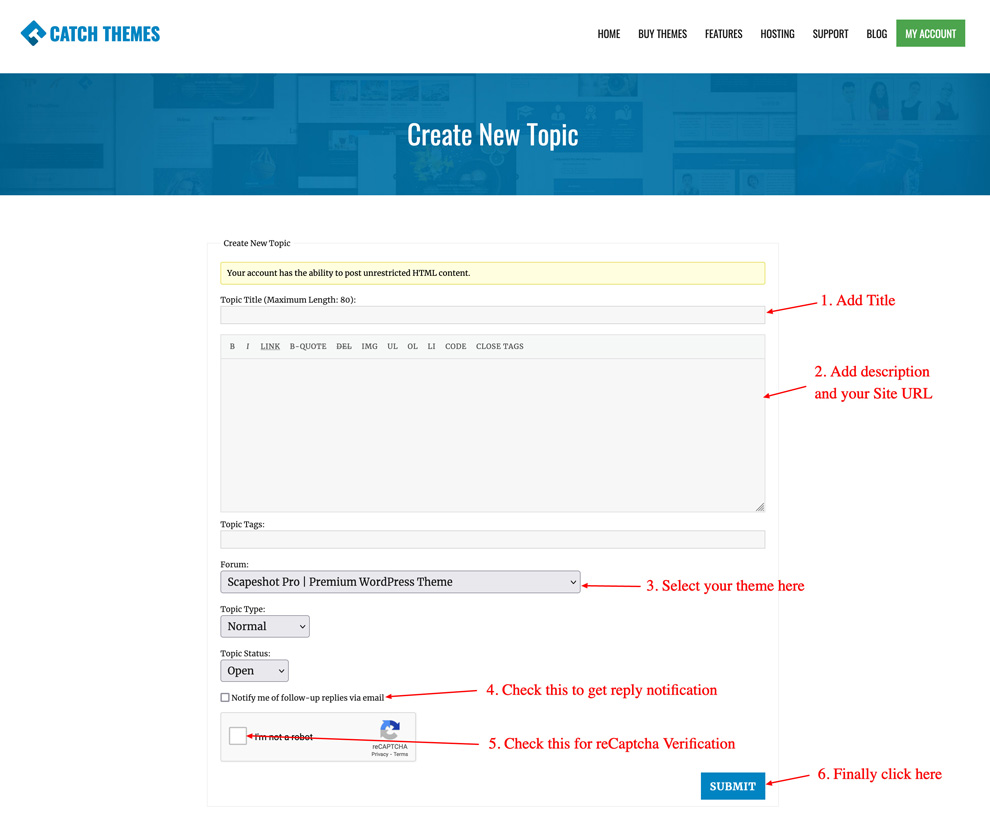
- Then you can see support form where you can create new topic. Main import parts are:
- Topic Title: Just add shor title about your issue
- Description: You can type in details of the issues. Please be more descriptive and also add in your site URL so that we can insprect it and understand your issues
- Forum: Here you need to select the Theme in which you have issue
- Notify me of follow-up replies via email: You need to check this to get email notificaiton for all the replies
- reCaptch: This is there to protect from spam. You need to check “I’m not a robot”
- Submit button: Click on Submit button and your query will be posted in our form under Recent Topics