
Follow the following steps for installation if you are using free theme:
1. Installation Using the WordPress Administration Panel from WordPress.org
- Log in to the WordPress Administration Panel
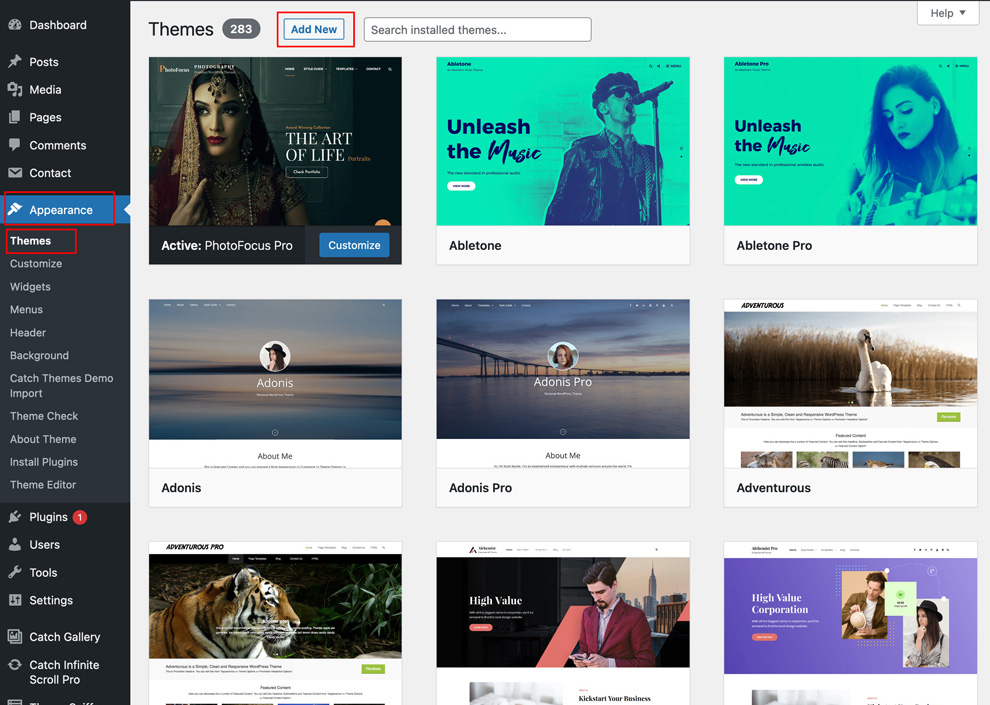
- Go to “Appearance => Themes => Add New”
-
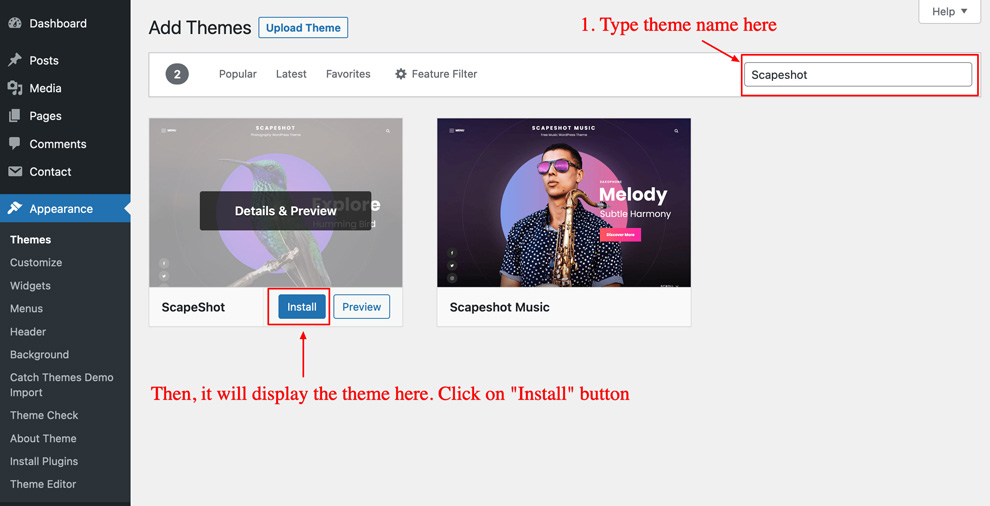
Type in the theme name on the “Search theme…” search box. For example, if you need to install the theme Scapeshot then type in “Scapeshot” as in the image below and Click on the “Install” button.
- After the installation is completed, click on the “Activate” button to active the theme
2. Installation Using the WordPress Administration Panel from CatchThemes.com
- Go to our free themes directory at https://catchthemes.com/themes/category/free/ and search for the best one you like
- Once you go the theme that you want. Go to that theme page and then click on “Download” button to download theme zip file
- Just for your note, some modern browser like Safari has auto zip extractor and will extract the zip file as soon as you download the zip file. In this case, open Safari and go to “Safari => Preferences” and in “General” tab, uncheck Open “safe” files after downloading. This will stop Safari from automatically unzipping the files and then you can download zip file
- Log in to the WordPress Administration Panel
- Go to “Appearance => Themes => Add New”
-
Click on “Upload Theme” and Browse the downloaded zip file from the desktop where you have it downloaded
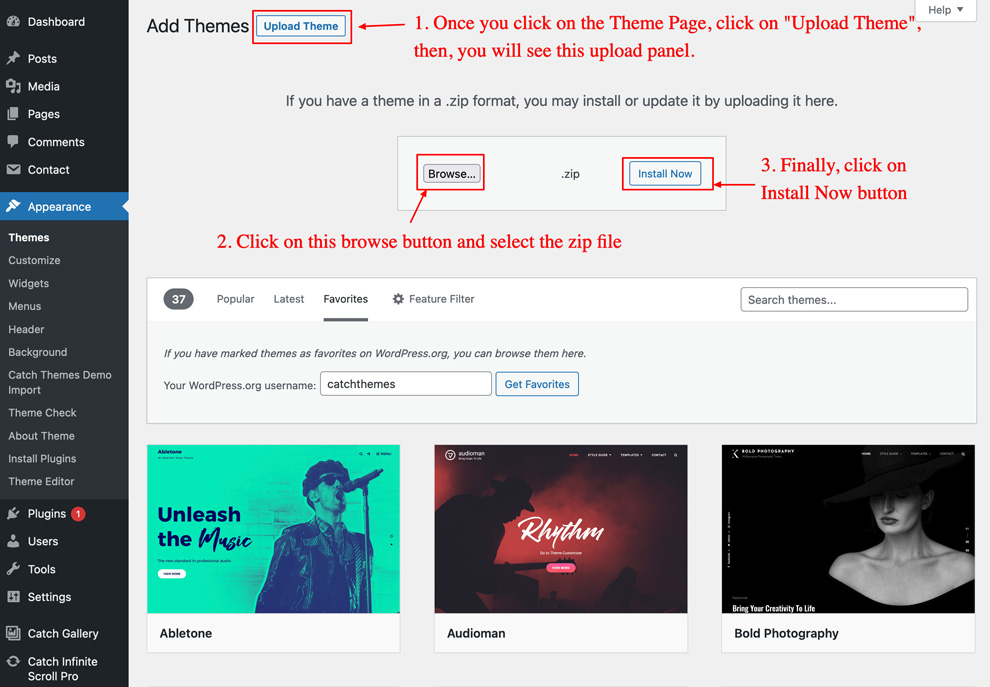
- Click on “Install Now” and then “Activate” to install the Theme
2. Manual Installation using FTP
To add a new Theme to your WordPress installation, follow these basic steps:
- Go to our free themes directory at https://catchthemes.com/themes/category/free/ and search for the best one you like
- Once you go the theme that you want. Go to that theme page and then click on “Download” button to download theme zip file
- Unzip zip to your Desktop
- Using an FTP client to access your host web server. Go to /wp-content/themes/ and make sure that you do not already have theme folder installed. If you do, then back it up and remove it from /wp-content/themes/ before uploading your copy of the theme you are going to install
- Upload theme to /wp-content/themes/
- Activate theme through “Appearance => Themes”, in your WordPress Dashboard