- First, you need to get your license key. For that, login to My Account page. Once you are on the My Account page, click on “View Details and Downloads“
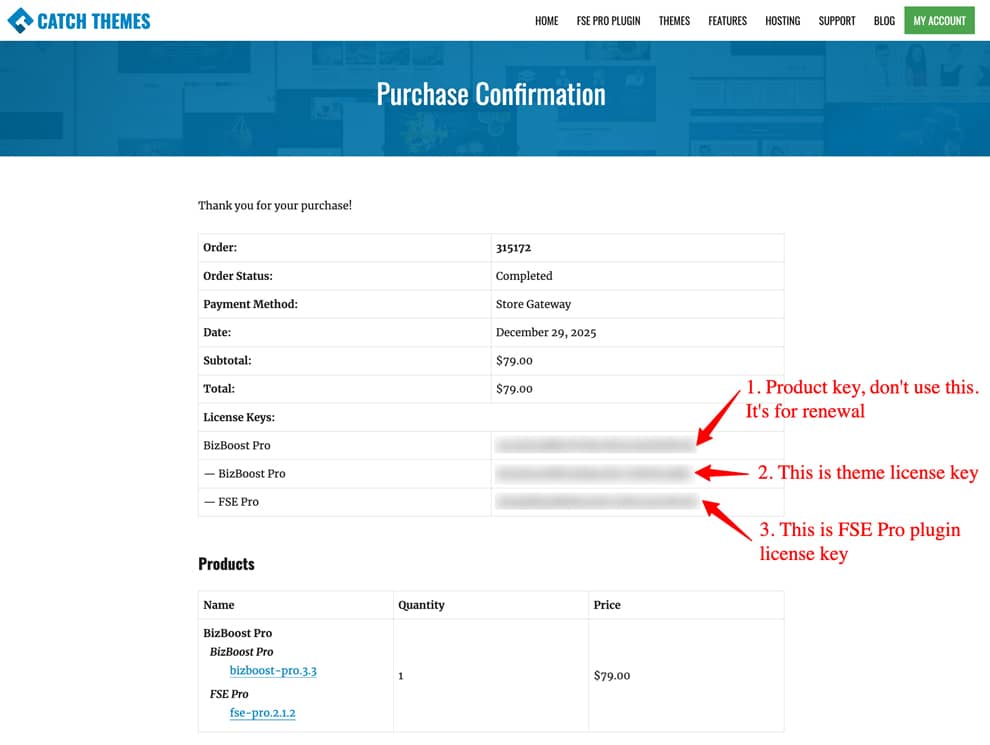
- Note: Please don’t use Product Key as License key. In Block themes, the first key is the Product Key, the second key is the theme license key and the third key is the FSE Pro plugin license key.
- After you find the license key, login to your site WordPress admin panel
-
Go to “Appearance => Theme Name License”
- Add License key under “License Key” section and click on “Save Changes”.

- Finally click on “Activate License” buttons

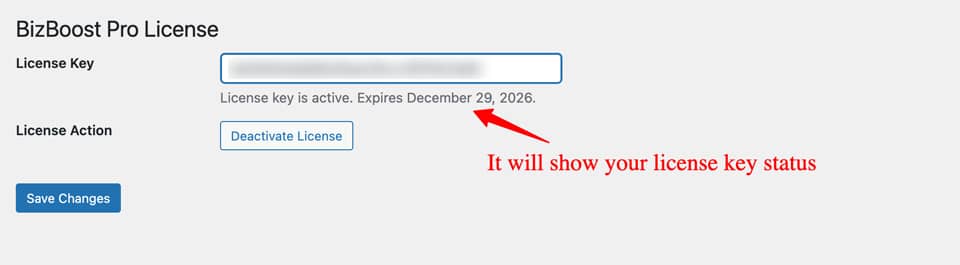
- It will show your theme license status

Premium Responsive WordPress Themes with advanced functionality and awesome support. Simple, Clean and Lightweight Responsive WordPress Themes