
- Access the Site Editor as mentioned above.
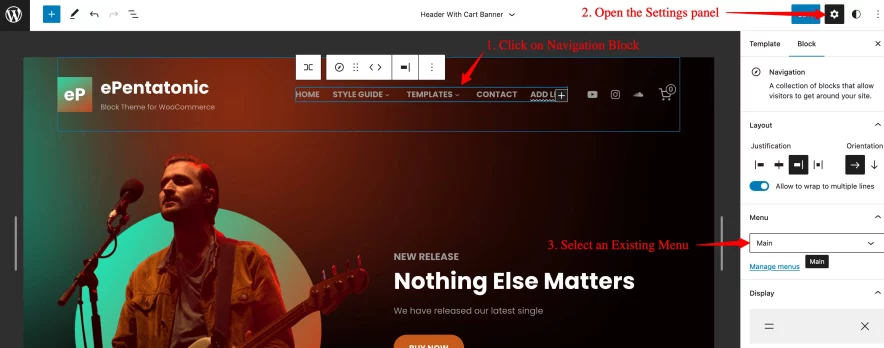
- Access the template part which has a Navigation block. The screenshot below shows the Navigation Block on the Header With Cart Banner template part.
- Click on the Navigation block and open the Settings panel.
- If you have a menu you’ve already created with the Navigation block or one from a previous theme (including menus from any classic themes), then you can select the existing menu from the Settings panel.
- After selecting the menu, click on the Save button.
More information on Navigation Block.